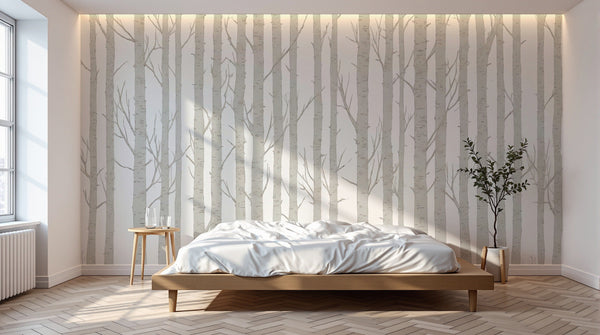
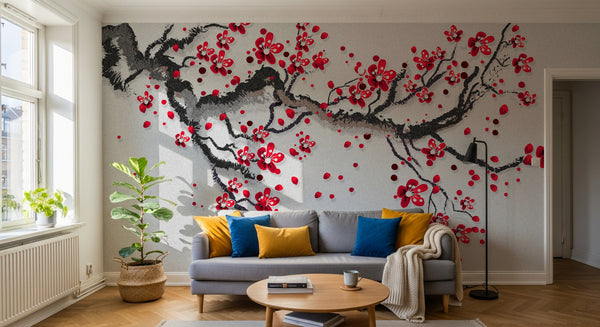
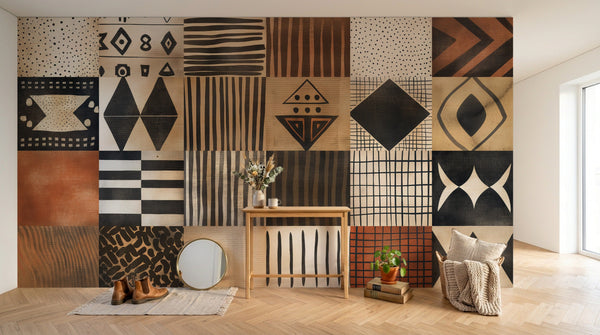
You saw a wall mural on Pinterest but the format doesn’t fit your wall. You want exactly the colour of your sofa. You have a travel photo you dream of seeing in large format. Three real-life cases, one answer: personalisation.
Here is exactly what you can personalise on a Novomur made-to-measure wall mural, how each option works in the configurator, and the practical pitfalls to avoid before ordering.
What exactly can you personalise?
On a made-to-measure wall mural, three elements are fully customisable:
- Dimensions: width and height to the nearest centimetre
- Colour: plain or gradient
- Design: a choice from the collection, or your own image
These three levers combine in the Novomur configurator. For example, you can take a design from the collection, enter the exact dimensions of your wall, then choose the part of the design that will go on your wall.
1. Personalise the dimensions to the nearest centimetre
This is the basis of made to measure. At Novomur, you enter the exact width and height of your wall in centimetres in the configurator, and the wall mural is printed to those dimensions, with a 10 cm trimming allowance added automatically to the width and height.
Why it matters
With a classic roll, you buy wallpaper in standard panels (53 cm wide, 10 m long). You cut it to fit your wall yourself, which creates offcuts and forces you to match the patterns.
With made to measure, is your wall 3,40 m × 2,55 m? You receive a wall mural exactly that size, plus a 10 cm trimming allowance added automatically, in numbered panels to hang side by side. No roll offcuts to deal with, no pattern matching to do yourself.
How to measure your wall properly
Three steps:
- Measure the width from corner to corner, in three different places (top, middle, bottom)
- Measure the height from floor to ceiling, in three places (left, centre, right)
- Keep the largest value for each dimension: walls are never perfectly straight
Don’t add any allowance yourself: enter the exact dimensions of your wall; a 10 cm trimming allowance is added automatically to the width and height. This lets you adjust while hanging and trim cleanly at the finish.
A concrete example: for a wall of 3,40 m × 2,50 m → enter 3,40 m × 2,50 m in the Novomur configurator (the printed wall mural will measure 3,50 m × 2,60 m, 10 cm trimming allowance included).
Mistakes to avoid
Mistake 1: measuring the furnished area rather than the whole wall. Sofa in front of the wall? Measure edge to edge anyway. The mural must cover all of it.
Mistake 2: forgetting mouldings and skirting boards. Decide beforehand whether you will hang the mural over them or stop it at the skirting board. This changes the actual height.
Mistake 3: rounding down. A wall 3,38 m wide means entering 3,38 m, never 3,35 m.
Important: a made-to-measure wall mural cannot be returned or exchanged if you change your mind or make a mistake in the measurements. That is precisely why you choose the crop yourself on the product page and check your dimensions before ordering.
2. Personalise the colour
Three scenarios in the Novomur configurator.
Case 1: a plain wall in the exact colour you want
The Colour / Gradient option in the configurator lets you create a made-to-measure wall mural in a plain colour, in exactly your shade. Ideal if you want the same shade as your sofa, your curtains or a specific Pantone sample.
You enter your colour, the configurator shows the result, and you confirm the dimensions. Produced on the material of your choice (smooth, textured or self-adhesive non-woven).
Case 2: a made-to-measure gradient
Still in the Colour / Gradient option: you can create a gradient between two shades (sunset sky, a sage → terracotta transition, etc.). The configurator applies the gradient to the exact dimensions of your wall.
The colour risk to know about
Your screen displays colours in RGB (emitted light). Printing uses CMYK (inks). A bright orange on screen can turn ochre in print, and a luminous blue can look deeper.
The right move: order a sample for 3 €. You receive a 30 × 20 cm piece of your chosen design, in the finish of your choice. You see the real colour under your own lighting before ordering.
3. Personalise the design: 2 options in the configurator
Option 1: choose from the Novomur collection
10 collections and about 120 designs ready for large-format printing, including:
- Flowers & Floral: modern and vintage floral designs, ditsy prints
- Jungle & Nature: palm trees, foliage, bamboo, plant landscapes
- Asia & Orient: zen designs, cherry trees, japandi, Chinese art
- Landscapes & Travel: mountains, deserts, forests, panoramas
- Art & Abstract: graphic compositions, shapes, blots
- Classic & Luxury: art deco, damasks, baroque
- Materials & Textures: marble, linen, plaster, wood
- Kids & Baby: unicorns, dinosaurs, animals, stars
Every design in the collection is pre-optimised for large-format printing.
Option 2: upload your own image
This is the option that lets you turn your personal photo into a wall mural.
Use cases that really work:
- Landscape photo taken on a trip (mountain, sea, forest)
- Architectural shot (old stone, urban facade)
- Hand-made or purchased graphic artwork in high resolution
- Very detailed macro photo (leaf, bark, sand, water)
The file you need:
- Resolution: about 20 px per printed cm recommended (the configurator shows the recommended resolution). The higher the image resolution, the sharper the result
- Format: JPG, PNG or WebP, 20 MB maximum
- Quick test: open your image and zoom to 100%. If the outlines stay sharp, it should be suitable. If you see pixels, it will look soft up close on a large wall (the configurator’s sharpness indicator will tell you)
If you have any doubt about your image, write to our team (contact@novomur.com) before ordering in large format. To judge the material, a 30 × 20 cm sample of a catalogue design costs 3 €.
AI visualisation: see it before you buy
Before you pay, the Novomur configurator projects your custom pattern onto your actual wall. You photograph the wall from your sofa, upload the photo to the tool, and the AI visualisation places the pattern on it based on your measurements (indicative preview).
Seeing the design in context saves a lot of regrets on delivery. A design you like on a small screen doesn’t necessarily have the same effect at the scale of a 4-metre wall. The visualisation gives you an idea of the effect before ordering; it is indicative only, because we print the design itself and not the render.
How much does personalisation cost?
The price is calculated per m², based on the exact dimensions you enter in the configurator: 29,90 €/m² for smooth non-woven, 34,90 €/m² for textured non-woven, 39,90 €/m² for self-adhesive non-woven. The total amount is shown in the summary, before payment. Tracked delivery, free across the EU, within 7–15 working days.
The three finishes (all printed on matt non-woven):
- Smooth non-woven (29,90 €/m²): a faithful rendering of the artwork, pasted hanging. The standard option.
- Textured non-woven (34,90 €/m²): a slight relief that gives the pattern some texture.
- Self-adhesive non-woven (39,90 €/m²): paste-free hanging, repositionable while you hang it, on a smooth, clean, dry wall. An option for tenants: removal depends on the condition of the wall.
Before ordering, the 30 × 20 cm sample for 3 € is available in all three finishes: a made-to-measure wall mural cannot be returned or exchanged because you have changed your mind or made an error in the measurements, in line with Article L221-28 (3) of the French Consumer Code (Code de la consommation); the statutory guarantee of conformity still applies.
Renting? The self-adhesive material can still be personalised
If you are renting, Novomur’s self-adhesive material is compatible with all the personalisation options: dimensions, colour, design (collection or personal photo).
It goes on without paste; removal depends on the condition of the wall and the paint. Before hanging, test the self-adhesive sample behind a piece of furniture to check that your paint can cope with removal.
It is the option that lets you fully personalise your wall mural without paste or pasting the wall, with removal depending on the condition of your wall.
Frequently asked questions
How much does a personalised wall mural cost at Novomur?
From 29,90 €/m² incl. VAT, whether you personalise the dimensions, the colour or the design. The exact price depends on the surface area and the material chosen. The configurator shows the total in real time.
Can I upload my own photo to turn it into a wall mural?
Yes. The Novomur configurator accepts high-resolution JPG, PNG and WebP files (20 MB maximum). To check that your file will hold up at large format, open it and zoom to 100%: if the outlines stay sharp, it should be suitable.
How can I be sure of the colour before ordering?
Order a physical sample for 3 € in the exact colour you plan to use. You receive a 30 × 20 cm piece printed on the final material, which lets you judge the real colour under your own lighting before ordering.
Can I personalise a wall mural if I am renting?
Yes, by choosing Novomur’s self-adhesive material. All the personalisation options (dimensions, colour, design, personal photo) are available on this material. It goes on without paste; removal depends on the condition of the wall.
Which file formats does the configurator accept?
JPG, PNG and WebP, 20 MB maximum. Files must be high resolution (about 20 px per printed cm recommended) for a sharp result at large format. If in doubt, contact our team before ordering (contact@novomur.com).
Can a personalised wall mural be returned?
No. Made-to-measure wall murals are neither taken back nor exchanged if you change your mind or make a mistake in the measurements (Article L221-28 (3) of the French Consumer Code (Code de la consommation)); the legal guarantee of conformity still applies. For this reason, we advise you to check your dimensions and the crop you chose on the product page, to see the design on your wall with the ‘On my wall’ tab, and to order the 3 € sample to check how it looks.
Ready to personalise your wall mural?
The Novomur configurator brings all the options together: dimensions to the nearest centimetre, plain colour or gradient, a design from the collection or your own uploaded photo. AI visualisation on your wall before purchase, price calculated in real time.
Create my personalised wall mural →
A question before you order? The Novomur team replies Monday to Friday, 8am–5pm (Paris time), by email at contact@novomur.com.
To find out more, read our complete guide to made-to-measure wall murals and our 7 living room ideas.